

New Student Assistance Programme launched
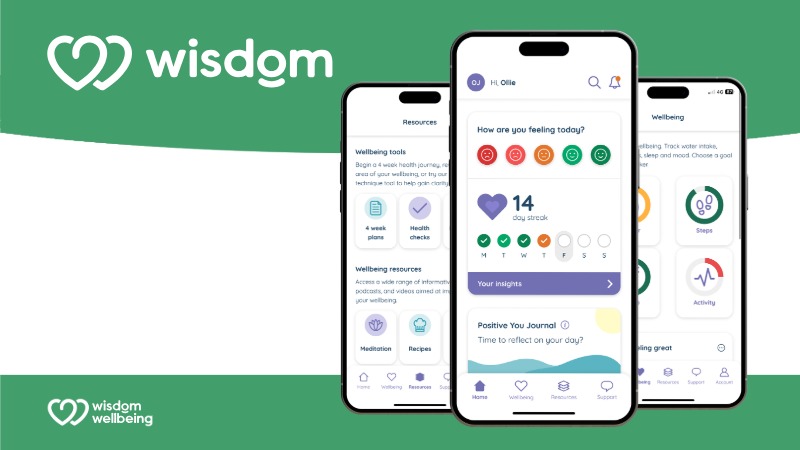
HA Wisdom Wellbeing - your new Student Assistance Programme
Oxford Brookes has partnered with HealthAssured to provide you with a student assistance programme, HA Wisdom Wellbeing, that gives you 24/7 access to support and advice.
Available 365 days per year by telephone and through the HA Wisdom Wellbeing App, you have unlimited free access to:
-
qualified counsellors through a mental health and counselling helpline
-
access to the Wisdom Wellbeing app.
The 24/7 counselling helpline
To contact the helpline, call 0800 028 3766. Save this number in your mobile contacts so it's ready when you need it.
You can also contact the counselling helpline through the HA Wisdom Wellbeing App by using the:
-
live chat button, which will open a live chat window with a wellbeing counsellor
-
the video call button, which will start a live video call window with a wellbeing counsellor where you can talk face-to-face.
Alternatively, you can tap the ‘Request contact’ button which will direct you to a contact form asking you to provide...
The Wisdom Wellbeing app
The Wisdom Wellbeing app gives you access to all of the services available within the Student Assistance Programme, including a wide range of self-help resources, information and in-the-moment support in one intuitive mobile app and web-based platform.
You can:
-
contact helpline counsellors via WhatsApp, live chat, video call, and request a call back - the telephone helpline number is also available on the app
-
access mental health and wellbeing tools including a mood tracker, mini health checks, mindfulness, breathing techniques, short online courses and more
-
access thousands of exclusive offers and discounts.
Where can I find the Wisdom Wellbeing app?
The Wisdom Wellbeing app is available for both iOS and Android smartphones and you can download it for free from the App Store and Google Play Store.
You can also access Wisdom Wellbeing on your desktop at wisdom.healthassured.org
How do I sign up?
-
Once you have downloaded the app or accessed it via desktop, you will need to complete the sign-up process.
-
Open the app on your device
-
Enter Oxford Brookes’ organisation code, which you can find on the Student Assistance Programme ServiceNow article. After each instruction, tap ‘Next’ to proceed
-
Enter your email
-
Finish your account by creating a password and agreeing to the Terms & Conditions and privacy policy
-
Your phone number and division are optional (division refers to the branches and/or departments in your organisation)
-
Optional - allow Wisdom permission to sync with your device’s health data
-
You are now set up on Wisdom!
Watch a video about the Wisdom Wellbeing app.